
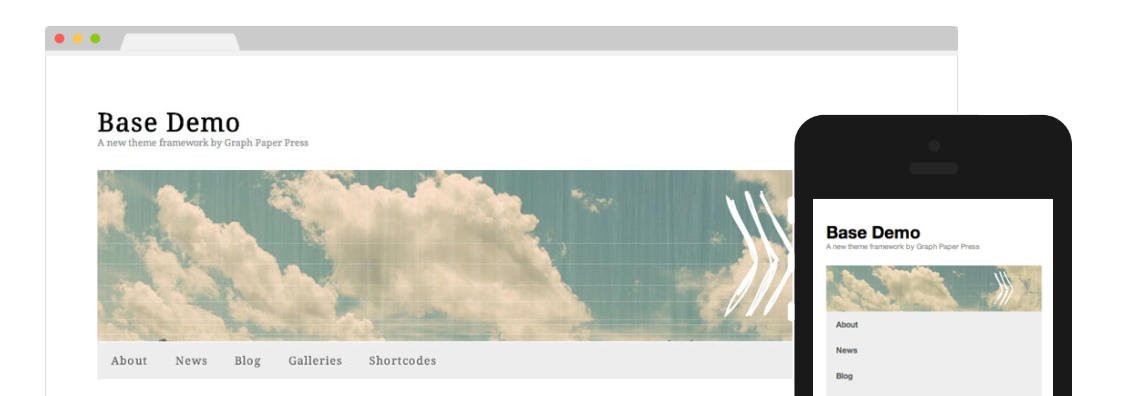
Base by Graph Paper Press is a responsive theme framework, build to empower child themes. Base supports WordPress Post Formats allowing you to take advantage of Tumblr-like features. This Post Formats support makes Base also very well suitable as a blog or a tumblog theme.
This theme supports natively two WordPress 3 menus:
- Main Menu – left aligned below the header
- Top Menu – right aligned in the upper-right corner of the screen
Graph Paper Press prefers to release its themes with minimalist designs and as lightweight as possible. That is why Base installs with only the default WordPress widgets.
However, the following widgets – among others – can be added easily, since these are available as separate plugins from the Graph Paper Press website as well as from the WordPress Plugin Directory:
- GPP Category Slider
- GPP Slideshow
- GPP About You
- GPP Testimonials
- GPP Welcome Message
- GPP Base Hook
The GPP Base Hook Widget adds 12 additional widget areas to Base and its child themes.
This framework serves six widgetized areas:
- Home
- Sidebar
- four Footer columns
The Home widget area – positioned on top of the blog feed – can be used for a Welcome Message, a Slideshow, or what ever you want to display.
The theme offers the following page templates:
- Default
- Blog
- Wide
The Theme Options panel serves two tabs and a reset button:
- General
- Colors
Your first options at the General Settings are uploading your logo and favicon.
Next you have the opportunity to select a font for your headlines as well as the body text. You have a choice out of 30+ Google Web Fonts.
The last option allows you to check the categories that you want to include in the blog feed.
At the Colors tab, you can set your preferred color scheme. You can opt for a light or a dark theme styling.
When you want to add any addition CSS, you can enter those CSS rules here in a text area.
Although the Featured Image field is available, the Featured Image is not supported – neither on index pages, nor on single posts pages – which means that you will need use the [Insert to Post] button to add images.
By default, Base activates the WordPress custom header (Appearance >> Header). You can either use one of the six headers that comes with Base, or you can upload your own images. Disabling the header is also an option of course.
The Graph Paper Press Base theme framework distinguishes the following WordPress Post Formats:
- Standard
- Aside
- Link
- Chat
- Status
- Quote
- Image
- Gallery
- Audio
- Video
Leave a Reply